Procurement: Document Approval and Accounting Exchange
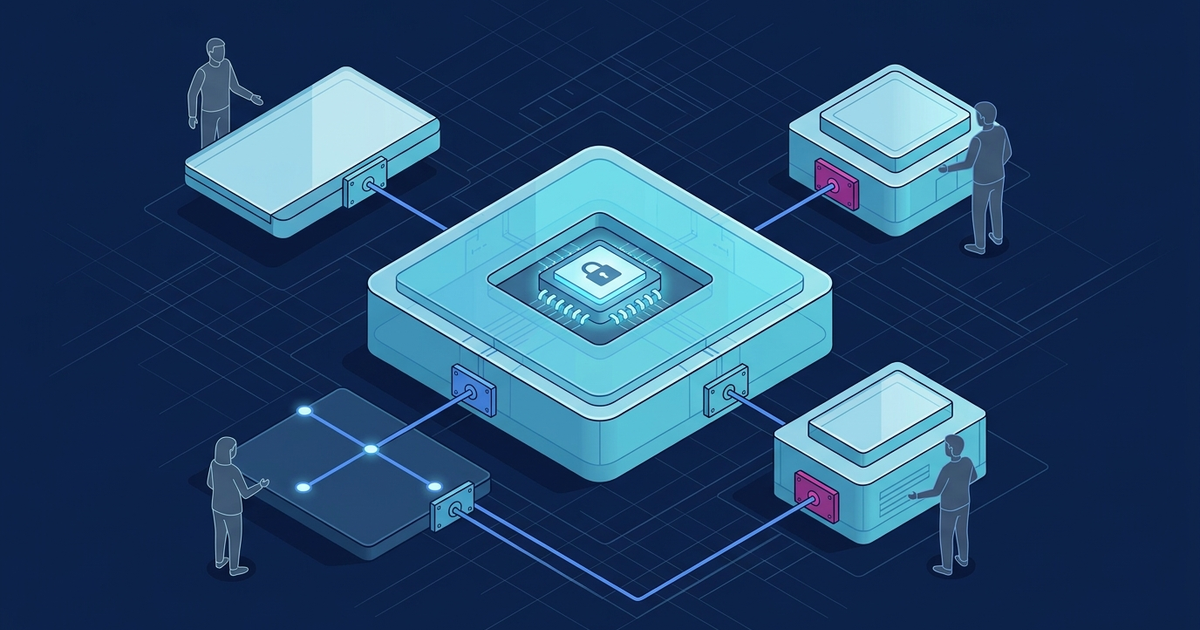
Automating procurement-document approval and exchange with the accounting system enables available budget limits to be checked before a commitment is created and, where a separate reservation mechanism is configured, reserved in the designated system of record.
Analyzing the relationship between need initiation and budget limits
Discrepancies between actual expenses and approved budgets often arise due to a lack of operational control at the point of need initiation. When company departments initiate purchases without verifying available limits, the finance department only receives information about expenses after a contract is signed or an invoice is received. This increases the risk of cash flow gaps and complicates cash flow planning.
The traditional approach to procurement involves an initiator creating a request on paper or via email, followed by a lengthy approval chain. The main drawback of this scheme is its detachment from the actual budget status. By the time the request reaches the CFO, funds for the relevant category may have already been exhausted by other departments, as data in the accounting system is updated with a delay.
To identify an overrun early, implement a preliminary check of the available budget limit. When a request is created, the approval system queries the accounting system for the current balance in the relevant expense category. If the limit is exceeded, the system blocks further processing of the request or routes it through a special approval path for additional funding. The query itself does not reserve funds: if the process requires an actual reservation, creating, changing, and releasing it must be separate operations in the system designated as the source of budget data.
Preliminary verification helps identify limit overruns before a contract is concluded. For urgent needs, a separate approved route can be defined if permitted by the organization's current rules. Such a route does not cancel established restrictions: it must define responsible parties, required decisions, and evidence of their adoption. System configuration itself is not a permission to bypass the procedure.
Approver's decision and procurement document version
Before configuring the route, describe exactly what each participant confirms: the validity of the need, the available limit, technical specifications, or contract terms. These decisions have different purposes. A file review mark should not turn into an approval, nor should a technical delivery status become a decision by an authorized person. For each transition, define the required data and who is authorized to perform the action.
It is advisable to link the request card to a specific document version. If the amount, subject, or other details essential to the route change after approval, a re-approval rule by responsible participants is required. The old decision is saved along with the version it applied to. A file replacement should not be hidden behind an unchanged filename: the user must see what changed and why the task was returned to them.
Before implementation, the customer and responsible specialists determine the legal requirements, agreements between the parties, and internal signing rules applicable to each document type. The technical team verifies support for agreed formats and tools in specific system versions, the preservation of signed files, and the display of verification results. System authentication, electronic signature verification, and approver authority verification are separate tasks. None of them should be substituted for another.
- Subject of the decision — Record exactly what the participant is approving and what information they are verifying.
- Document version — Link the decision to the corresponding version of the file and card.
- Change of terms — Agree on rules for returning the document for re-review.
- Authority — Verify the participant's role separately from the technical signature check.
Architecture for integrating approval and accounting systems
For end-to-end automated procurement control, the approval system needs coordinated data exchange with the accounting system. Its purpose is to reduce manual data entry and provide controlled updates to reference data for counterparties, products and services, and budget categories.
In projects that require flexible approval routes and API integration, the UnityBase low-code platform is one technology option. It can link workflows with existing accounting systems through secure APIs. Such exchange reduces duplicate data entry and helps enforce approved procedures. API contracts should define formats, identifiers, validation rules, versioning, and error handling; the mere presence of an API does not eliminate discrepancies between systems.
For deferred exchange, a durable message queue can be used. Define publisher confirms and consumer acknowledgements, durable message storage, bounded retries, idempotent processing or deduplication, and the action to take when retries are exhausted. For example, during accounting system maintenance, messages are stored for later transmission, and the responsible person sees the delay. Even a durable queue does not guarantee exactly-once completion of the business operation; monitoring and state reconciliation between the two systems are still required.
Creating a purchase request in the approval system with subsequent automatic limit verification is the first step in building an end-to-end process. Once approval is complete, the contract is sent for signing. The signing method, including whether a Qualified Electronic Signature (QES) is required, should be determined with regard to applicable law, the document type, and the parties’ agreement.
- Directory synchronization — Transfer and update of data according to the designated authoritative source for each reference-data set.
- Limit verification — Request to the accounting system at the moment of purchase request creation.
- Document export — Transfer of approved contracts and specifications to the ERP without manual entry.
- Feedback — Receiving payment and contract execution statuses from the accounting system.
Synchronizing contractual obligations with the payment calendar
After the approval and contract signing process is complete, there is a need to control the fulfillment of financial obligations. Agreed payment schedules, specifications, and delivery terms must be promptly transferred to the accounting system to form a payment calendar. Manual transfer of this data from the contract text can introduce errors in dates or amounts, which may lead to late payments or contractual penalties.
Under the agreed scenario, transferred contract metadata can be used to prepare the payment schedule. Rules for calculating dates, processing changed terms, and verifying amounts must be agreed upon with the finance department. An entry in the payment calendar does not mean money is reserved in a bank account or that a payment has been executed. These events require separate confirmations from the appropriate source.
In addition, integration allows for configuring automatic comparison of invoices against approved contract terms. If the invoice amount exceeds the amount defined by the specification, or if the recipient's details do not match the contract, the system can place further payment processing on hold or route it for additional review. This reduces the risk of erroneous or unauthorized payments.
Integrating financial control directly into the approval chain reduces the risk of data gaps when moving to payment. This is especially important for enterprises with a large number of daily payments and a complex expense structure.
Preparing corporate infrastructure for procurement automation
Implementing an integrated solution requires careful preparation of the enterprise's technical infrastructure. The first step is an audit of existing information systems and an assessment of their readiness for real-time data exchange. Many legacy accounting systems lack full API interfaces, requiring the development of additional integration gateways or modernization of the accounting system itself.
Describe exchange protection and logging separately. Agree on secure channels, service account permissions, and a list of events for diagnostics. OWASP advises against recording authentication passwords, access tokens, encryption keys, or sensitive personal data directly in logs. Define the log fields according to its purpose and the process risks; for exchange diagnostics, they may include the message identifier, time, source and destination, action, status, and outcome or error code.
An important stage is also staff training and the development of new interaction regulations. Process automation changes habitual work algorithms, so users must clearly understand their roles in the new system, rules for handling exceptional situations, and procedures in case of technical failures.
Before launch, test the exchange on an agreed set of scenarios: receiver unavailability, duplicate messages, unknown counterparty, changed contract, and approval refusal. For each case, define the expected document state and the person responsible for correction. Verification results are compared against implementation requirements, not against the assumption that successful transmission means the entire process is complete.
- API system audit — Checking the technical capability of the accounting system for integration.
- Directory cleanup — Eliminating duplicates and outdated records in counterparty registries.
- Security configuration — Implementing communication channel encryption and access rights segregation.
- Regulation development — Approving new rules for approval and actions in emergency situations.
FAQ
How to ensure budget limit control before signing a contract?
To do this, an automatic request to the accounting system is configured in the approval system at the moment of request creation. If the limit is exceeded, the system blocks the document's further progress or routes it for additional approval.
What to agree on before enabling electronic signing?
Define the list of documents, requirements for signatures and participant authorities, agreed formats, and file retention rules. Then, verify their support by specific system versions. User login to the EDMS does not substitute for document signing.
How to avoid discrepancies in counterparty directories between the approval system and ERP?
For each directory, define the responsible system and update rules. Agree on identifiers, duplicate and conflict handling, and acceptable exchange latency. The accounting system can be the source of certain data if it aligns with the customer's architecture.