Types of document management: what every business needs to know
In today's business environment, efficient document management is not just about speed, but also about security, transparency, and control. Paper systems are increasingly being replaced by digital ones, and automation is becoming a necessity rather than an option.
We look at the main types of document management, their features, and practical criteria to help your company choose the right format for working with documents.
Types of document management
To choose the right solution, it is important to categorise document management by format, direction of flow, and purpose. A single document can belong to several categories at the same time.
Paper-based
Physical circuit
Documents are printed, passed between offices, and stored in a physical archive. This format is straightforward but complicates searching, tracking deadlines, remote work, and backups.
Electronic
Digital original
A document is created or received in digital form, contains metadata, versions, a workflow route, and is signed with a QES if required. It is essential to preserve not only the file itself but also the context of its creation and the history of actions.
Internal
Company processes
Orders, internal memos, contracts under approval, invoices, requests, and instructions move between departments according to internal rules.
External
Counterparties and authorities
Exchanging contracts, statements of work, invoices, and letters with clients, suppliers, banks, and government bodies requires a controlled channel and delivery confirmation.
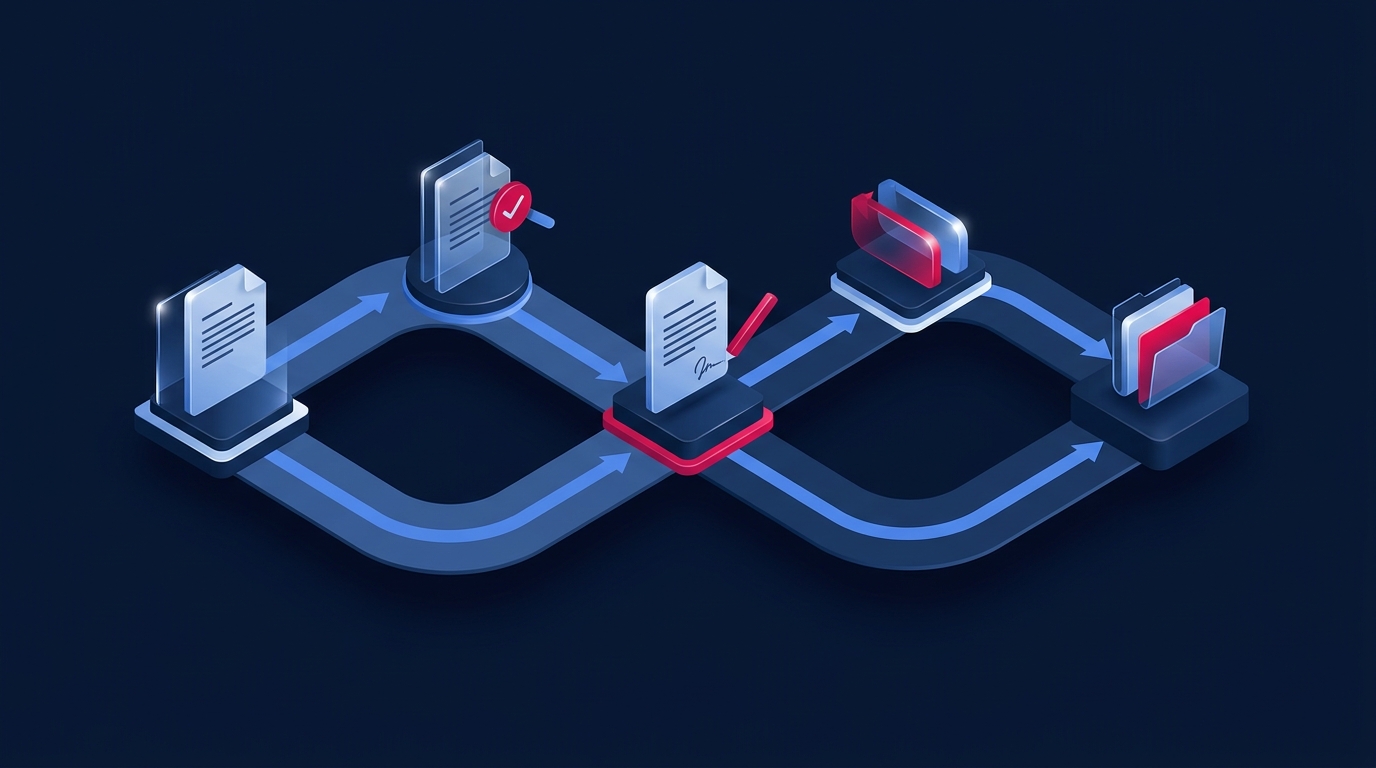
An EDMS must manage the complete lifecycle of a document rather than just an individual file: from its source and workflow route to signing, proof of actions, and long-term archiving.
How electronic document management works
- A document is created from a template or received via email, a portal, or an integration.
- The system registers metadata, determines the document type, and assigns an owner.
- The document goes through an approval, revision, or signing workflow.
- The signatory applies a QES, and the system records the version and verification result.
- The document is sent for execution, and deadlines are monitored automatically.
- Upon completion, the document is sent to the archive along with its metadata and history.
Functional components of a modern EDMS
- registration and classification of documents;
- approval workflows and task tracking;
- templates, version control, and search for related documents;
- QES, integrity checks, and audit logs;
- role-based access and data segregation;
- integrations with CRM, ERP, accounting software, email, and registries.
Benefits of transitioning from paper to an EDMS
- Speed. Approval and signing do not depend on physically moving a folder.
- Transparency. Managers can see the status, the person responsible, and the deadline.
- Version control. Participants work with the approved version, and changes are not lost.
- Security. Access is granted based on roles, and all actions are recorded in the log.
- Scalability. New departments and workflows are added without returning to manual work.
How to choose a document management type and EDMS
Focusing solely on the document format is not enough. Before implementation, it is worth mapping out the processes that cause the most delays and risks.
- Volume. How many documents pass through the company and which types are critical.
- Workflows. Who approves, who signs, and where parallel actions and escalations are required.
- Integrations. Which systems need to exchange data without manual re-entry.
- Access. Which roles can view the document, attachments, personal, or financial data.
- Storage. What retention periods, formats, backups, and archiving rules are required.
- Metrics. How approval times, overdue tasks, and the share of manual operations will be measured.
Solutions for different circuits
Megapolis.DocNet is suitable for corporate internal document management, registration, approval, task tracking, and archiving. Deals is focused on external exchange and signing documents with counterparties. Scriptum allows you to model and automate processes that go beyond classic document management.
These circuits can be combined through integrations so that documents are not duplicated across multiple systems, while their statuses and identifiers remain consistent.
Step-by-step implementation
- auditing processes, roles, documents, and data sources;
- defining a priority scenario for a pilot project;
- configuring workflows, access rights, templates, and integrations;
- testing signing, notifications, search, and error handling;
- training users and launching in a controlled environment;
- expanding the system based on the measured results.