Digital Architecture for Business Travel Accounting
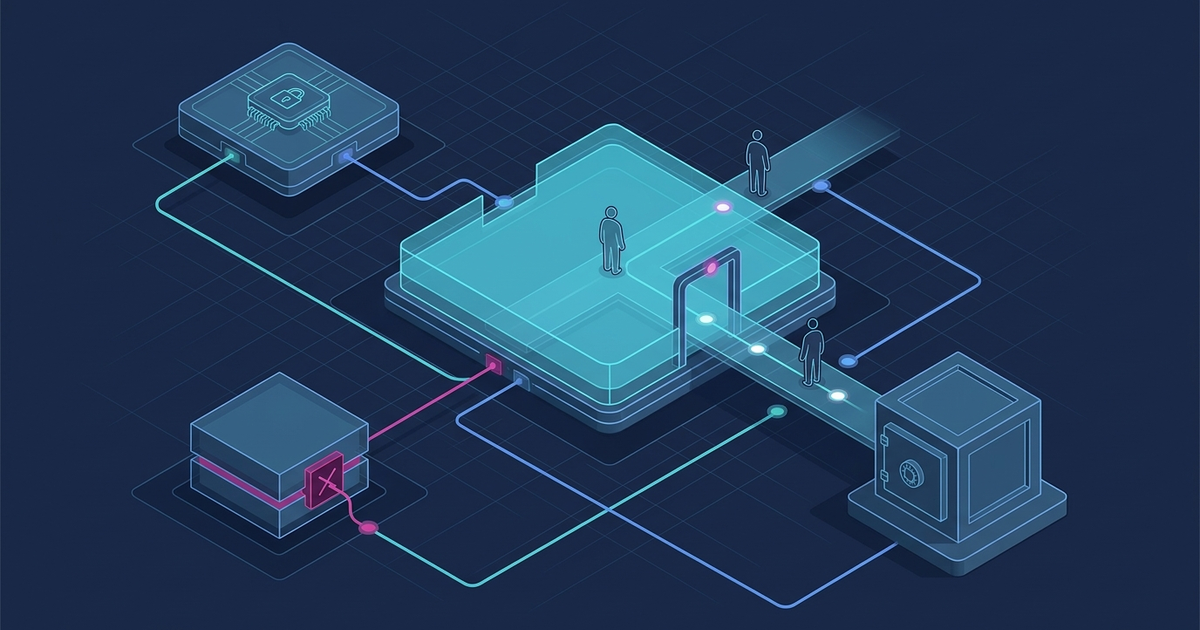
Discrepancies between actual travel expenses and accounting system data often arise from the desynchronization of document statuses across different platforms. When an HR order is approved in one application and financial obligations are registered in another without an automated link, there is a risk of double entry and loss of source files. Building an end-to-end digital workflow solves this by creating a single, traceable sequence of document states with clear role distribution and automated rule validation.
Decomposition of the manual workflow and identification of data loss points
In a classic non-automated process, trip approval begins with chaotic email exchanges or filling out text templates. The first gap occurs here: the finance department lacks access to planned expenses until a paper application is received, which complicates real-time limit control. The HR specialist prepares the order manually, often without up-to-date data on the employee's agreed departure point, creating inconsistencies in HR records.
The second critical point is the submission of supporting documents. Employees may provide receipts without mandatory details or with metadata errors. Without automated control, these errors may only be discovered during the final review by an accountant, requiring follow-up requests and delaying the closing of the reporting period. Furthermore, manual data entry increases the risk of duplicate records and violates personal data minimization principles.
For a detailed analysis of these vulnerabilities, it is advisable to use a gap matrix that maps each user step to potential technical risks.
| Process stage | Data source | Information gap point | Technical or operational risk |
|---|---|---|---|
| Trip planning | Local spreadsheets, email | Lack of connection between the application and department limits | Exceeding budget limits, approval delays |
| Order generation | Text templates | Inconsistency of departure point in the system and the order | HR record errors, need for manual correction |
| Document processing | Paper copies, scans | Lack of automated validation of details | Entering incorrect data into the accounting system |
Designing an end-to-end integration scheme for ERP, HRM, and document management systems
To eliminate data gaps, it is necessary to design a unified integration circuit that connects the HR system (HRM), the accounting system (ERP), and the electronic document management system. Each change in document status must be accompanied by a record in the audit trail, capturing the role of the user who performed the action. This helps track the process; access rules for confidential information must be configured separately.
When designing such integration circuits, it is necessary to verify the availability of open Application Programming Interfaces (APIs) in the selected system versions, which ensure the transfer of document states between heterogeneous platforms without duplicating personal data. The possibility of configuring secure data exchange in accordance with internal enterprise security policies should be assessed.
The integration scheme must provide a retry mechanism in case one of the systems is temporarily unavailable. For example, if the accounting system does not respond while attempting to block a budget for an application, the document enters an intermediate waiting state, and the system schedules a retry after a defined interval without interrupting the user's work. Retries must be idempotent. After a lost response, the result of the previous operation is checked first; persistent errors are escalated to the responsible specialist.
The distribution of functions between system modules must clearly correspond to their intended purpose, which minimizes data redundancy in related databases.
- HR module. Records the employee's employment type and transmits current data for generating the draft order via a secure API channel.
- Accounting module. Checks for available limits under the relevant expense category and registers financial obligations.
- Document management module. Ensures document routing, application of electronic signatures, and control of approval deadlines.
- Electronic archive. Stores supporting documents, linking them to the trip card for quick access by authorized users.
Technical requirements for processing electronic source documents
When building a digital workflow, it is important to consider that requirements for document details depend on the specific type of document. For example, the set of mandatory fields differs for electronic tickets, settlement documents, or receipts. The system should not require a unique transaction identifier where not provided by the document specification, but it must ensure file integrity and metadata compliance.
For document verification, it is advisable to use versioned rules approved by the responsible accountant. Each version of the rules must have a clear effective date. This allows the system to correctly process documents created in different periods, even if their formatting requirements have changed. In case of discrepancies, the system should not automatically delete or reject the document—instead, it is assigned a status requiring human review, and the detected exception does not erase the original file.
This approach prevents the loss of primary information and allows for preserving the history of recorded events for further analysis. The accountant receives a notification about the need for manual exception handling, with access to the original file and a description of the rule that was not met.
- Rule version check. Determining the applicable version of validation rules based on the document creation date.
- Duplicate control. Checking the uniqueness of details to prevent the reuse of the same document in different reports.
- Metadata analysis. Matching the date and time of the operation with the trip period specified in the order.
- Exception routing. Redirecting documents with discrepancies for manual review by the responsible specialist.
Features of route configuration for remote and home-based employees
Organizing the process for employees with remote work arrangements has its specifics. Instruction No. 59, which regulates business trips, is not universal for all employers, but its provisions are often used as a methodological basis for developing internal rules. However, one should not automatically equate the employee's home address with the agreed departure point. The process must be structured so that the employee confirms their data, and the HR specialist verifies the applicable procedure before approving the order.
From a technical point of view, the system must support dynamic definition of trip start and end points in the application interface. This eliminates rigid binding to the company's legal address and ensures data accuracy in HR documents. At the same time, it is important to adhere to reasonable personal data minimization, collecting only the information directly necessary for processing the trip and confirming expenses.
For clarity, let's consider how this mechanism works in practice when interacting with different role models in the system.
Configuring system limits and handling exception states
Effective expense control is based on setting system limits that are integrated directly into the application creation process. Limits can be configured across different dimensions: by position, project, department, or geographic direction. It is important that the system allows for flexible management of these restrictions using versioned rules with a defined validity period.
In case of exceptional situations, for example, when operational necessity requires exceeding an established limit, the system must support special processing scenarios. Instead of hard-blocking the operation, the document moves to a state requiring additional approval by a financial controller or a higher-level manager. In this case, the original data regarding the excess is not erased but stored in the change history along with technical logs and the justification for the exception.
Such an architecture allows for maintaining business process continuity without losing control over the budget. The finance department receives data on the frequency and causes of exceptions, which allows for adjusting limits based on real data.
Frequently asked questions
How does the system determine which version of validation rules to apply to a document?
The applicable version is determined by the event date and the rules approved by the responsible specialist. This could be the date of the expense, the trip, or the document; the registration date is not a universal basis. The version and the reason for its selection are stored along with the verification result.
How is protection against reuse (duplication) of the same document implemented?
The system performs an automatic uniqueness check of key document details (e.g., series, number, date, and amount) upon upload. If a match with an already registered document is found, the system marks the new record with a 'requires review' status and sends a notification to the responsible specialist without deleting the original.
What happens in case of an integration error when transferring data between HRM and ERP?
Temporary failures are handled with limited retries using an idempotent key. Format or authorization errors are passed for correction without infinite loops. If a response is lost, the result of the previous operation is verified before a new request.